TripGain Updates & Highlights – March & April 2026

March and April's updates are all about smarter expense management, seamless group booking in corporate travel, and a more powerful mobile experience. From tax-ready expense itemization and offline invoice uploads to AI Travel Copilot enhancements and one-tap invoice downloads, these updates are built to give finance teams, admins, and business travelers a smoother, more intelligent workflow.
Let's dive into what's new.
Expense Itemization for Tax Compliance
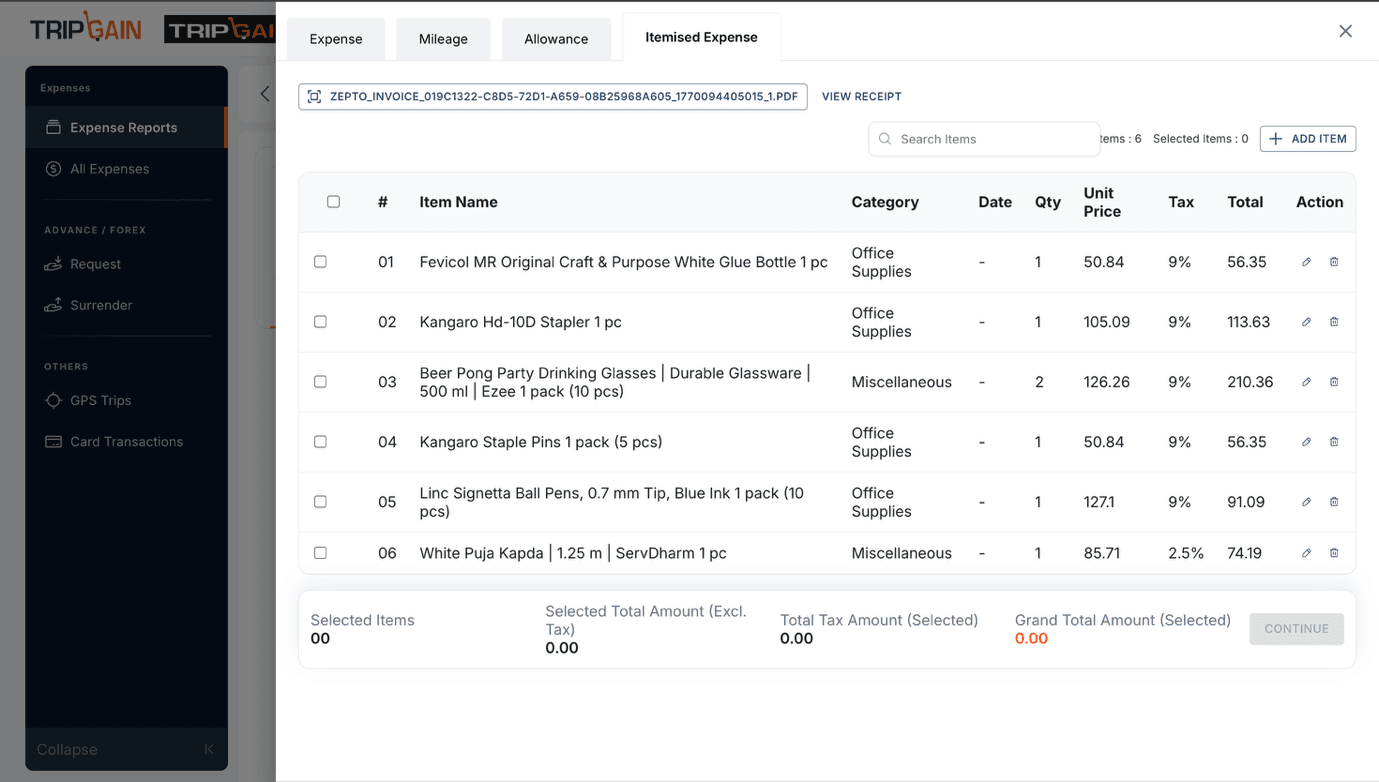
What's New: TripGain now supports detailed expense itemization with a tax lens. Employees can break down each expense into line items — such as room rate, taxes, meals, and incidentals — making it significantly easier to identify tax-deductible components at the time of submission.
Benefits:
- Cleaner expense reports aligned with tax requirements
- Finance teams can instantly distinguish tax-claimable vs. non-claimable items
- Reduces back-and-forth during audits and year-end reconciliation
- Supports GST input credit claims more accurately
Group Bookings for Events & Offsites
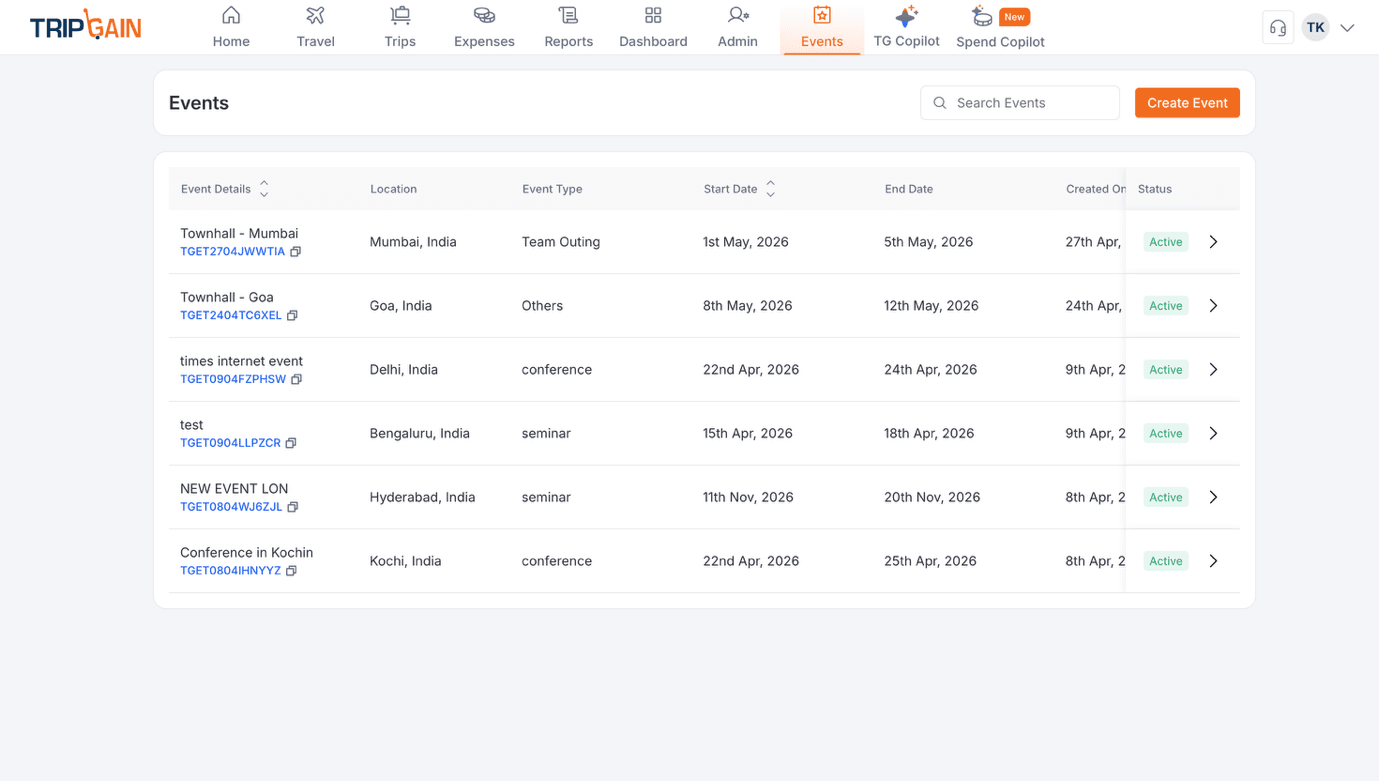
What's New: Planning a company event, team offsite, or multi-city conference? TripGain now offers group booking functionality, enabling admins and travel managers to manage bulk flight and hotel reservations in one place.
Benefits:
- Book for multiple employees in a single workflow
- Centralized visibility of group travel status
- Simplified approvals and consolidated billing
- Reduces coordination overhead for large events
Vendor Expense Tracking
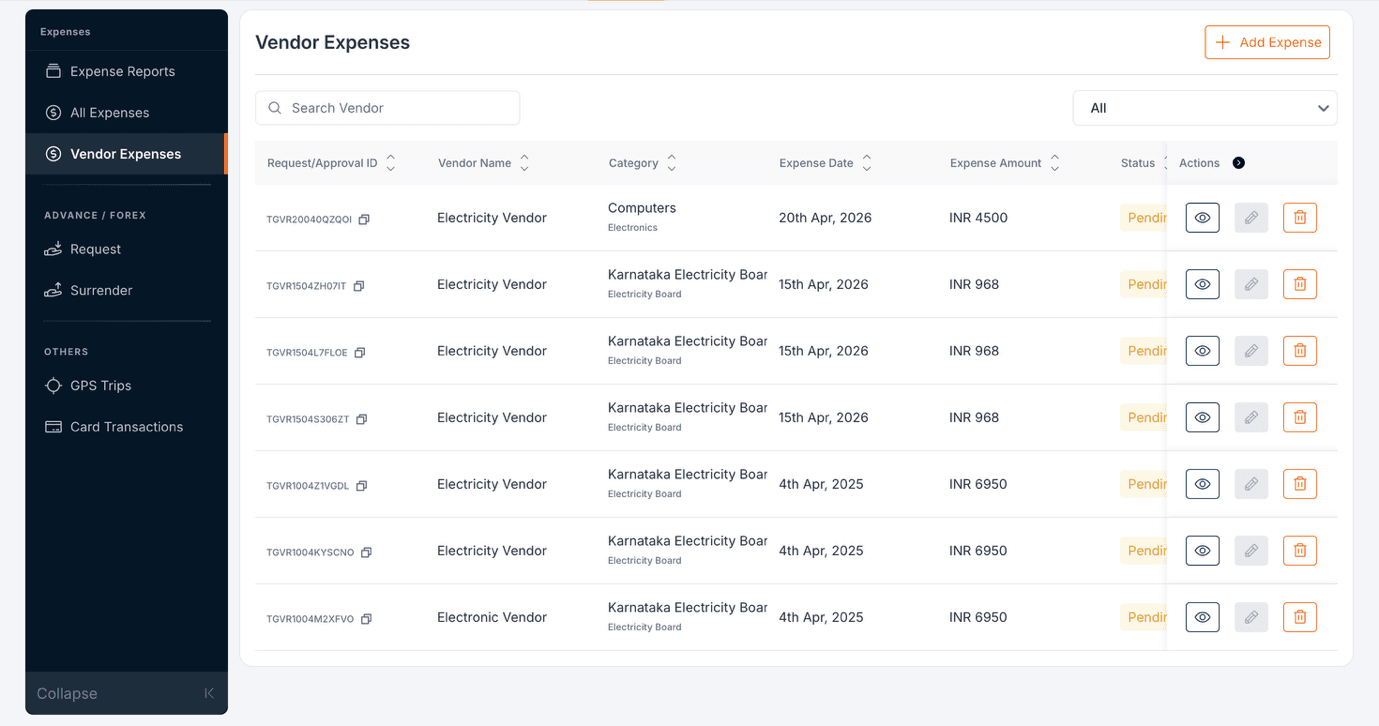
What's New: TripGain now supports vendor expense management, allowing businesses to record and categorize expenses incurred with third-party vendors as part of a trip or event.
Benefits:
- Holistic trip cost visibility — not just employee spend
- Better cost attribution across departments and projects
- Streamlined reconciliation for finance teams managing vendor invoices
Upload Offline Booking Invoices – Flights & Hotels
What's New: Employees who book flights or hotels outside TripGain (via a travel agent, airline website, or third-party platform) can now upload those invoices directly into the platform. This gives finance teams and CFOs a consolidated, single-pane view of all travel spend — regardless of where the booking was made.
Benefits:
- No more fragmented expense data across inboxes and spreadsheets
- CFOs get a complete picture of travel expenditure in one dashboard
- Easier policy compliance checks and budget tracking
- Supports reimbursement workflows for offline bookings
Share Receipts Directly from Gallery / Local Files

What's New: Employees can now share receipts directly from their phone's gallery or local storage into TripGain — without having to scan or re-upload through a separate flow. A few taps is all it takes to attach a receipt to an expense.
Benefits:
- Faster receipt submission on the go
- Reduces the friction of post-trip expense filing
- Higher receipt capture rates, fewer missing attachments
- Works seamlessly within the existing mobile app experience
Employee Receipt Declaration for Tax Reclaim
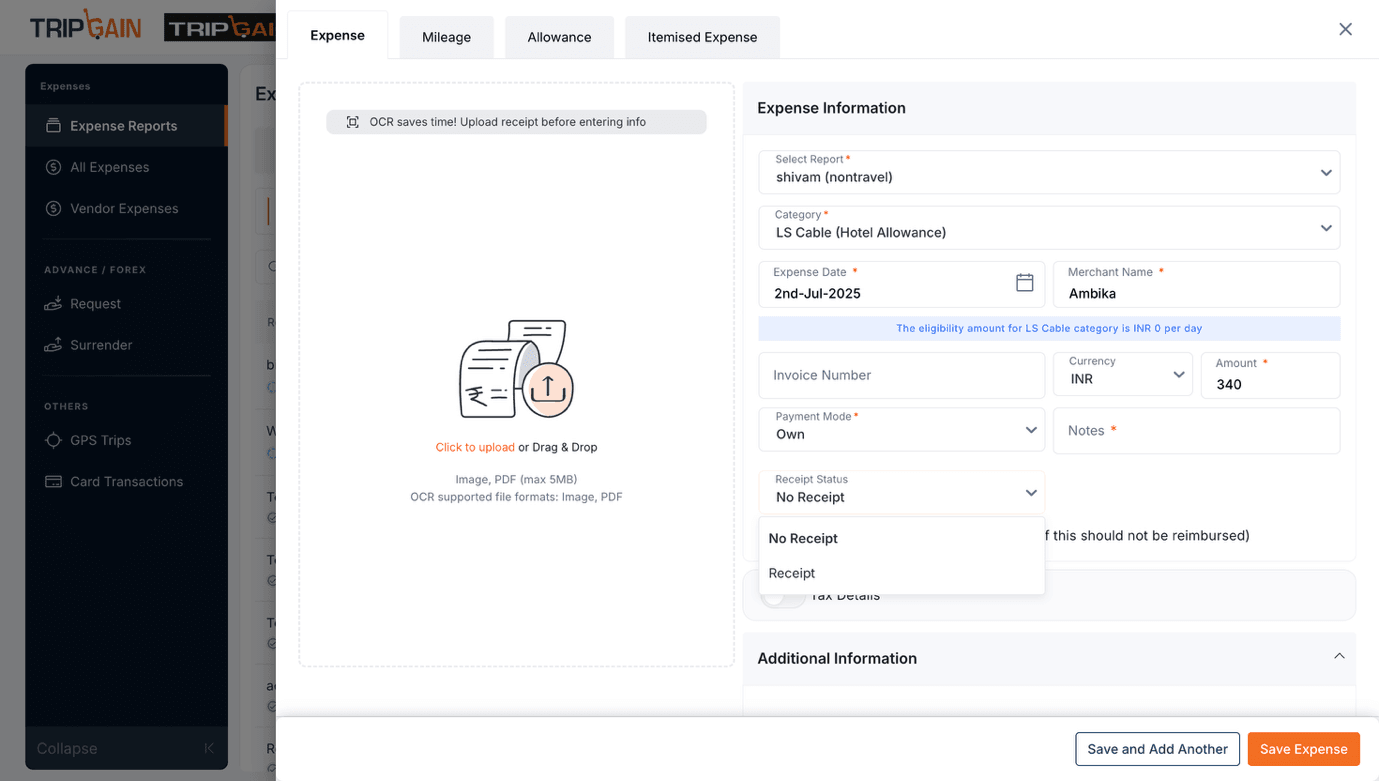
What's New: TripGain now gives employees the ability to explicitly declare whether a receipt is available for each expense line item. This simple toggle — "Receipt Available / Receipt Not Available" — becomes a critical signal for the finance team when processing tax reclaims.
Benefits:
- Finance teams can prioritize and process claims with verified receipts
- Employees take ownership of compliance at the point of submission
- Reduces rejected claims and reprocessing cycles
- Supports GST/VAT input credit eligibility tracking
AI Copilot Enhancement – History Sessions
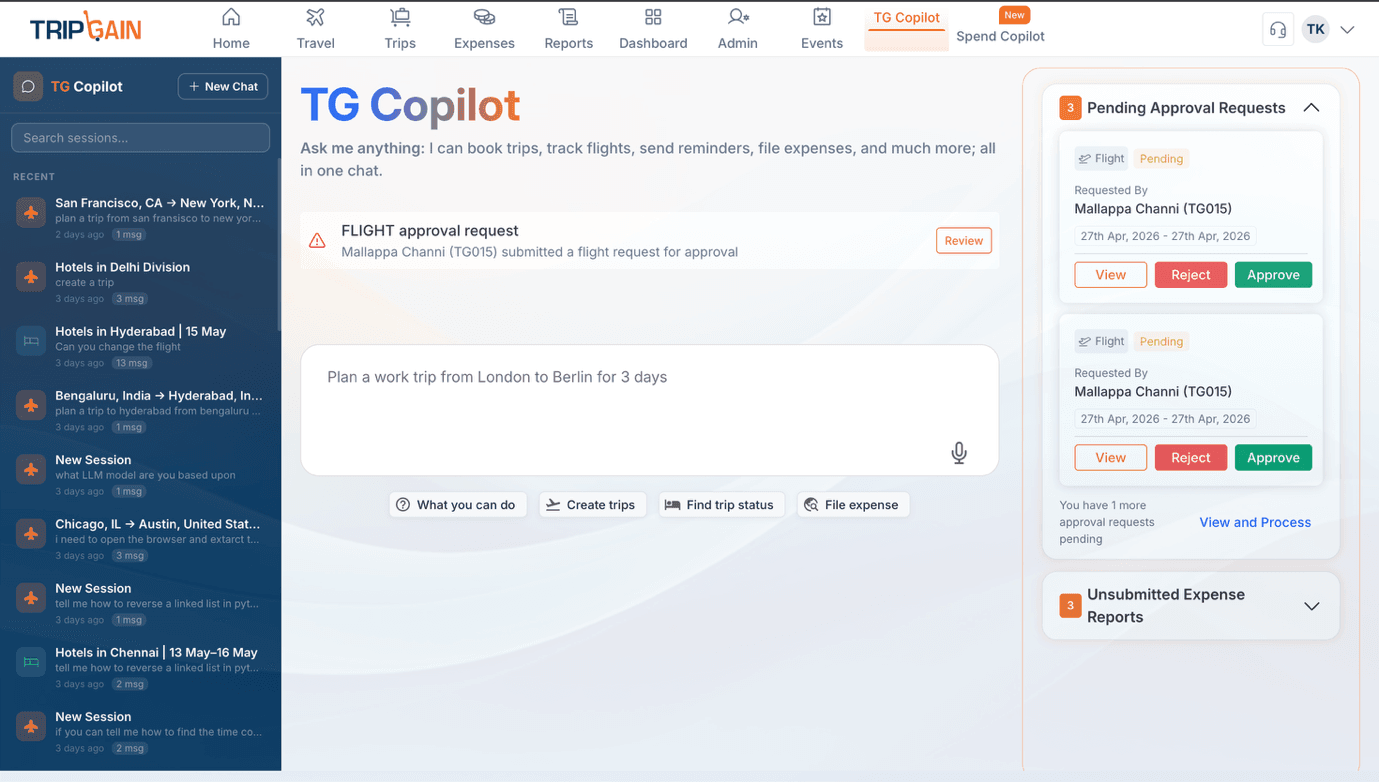
What's New: TripGain's AI Copilot just got smarter. Users can now access and continue previous Copilot sessions, meaning the assistant retains context from earlier conversations about trips, expenses, or policy queries. No need to repeat yourself — pick up right where you left off.
Benefits:
- Contextual continuity across sessions for more relevant responses
- Faster query resolution for recurring travel and expense questions
- Ideal for travel managers handling multiple open trips simultaneously
- Makes the Copilot feel less like a chatbot and more like a real assistant
Download Airline, Hotel & TripGain Invoices – Post Trip
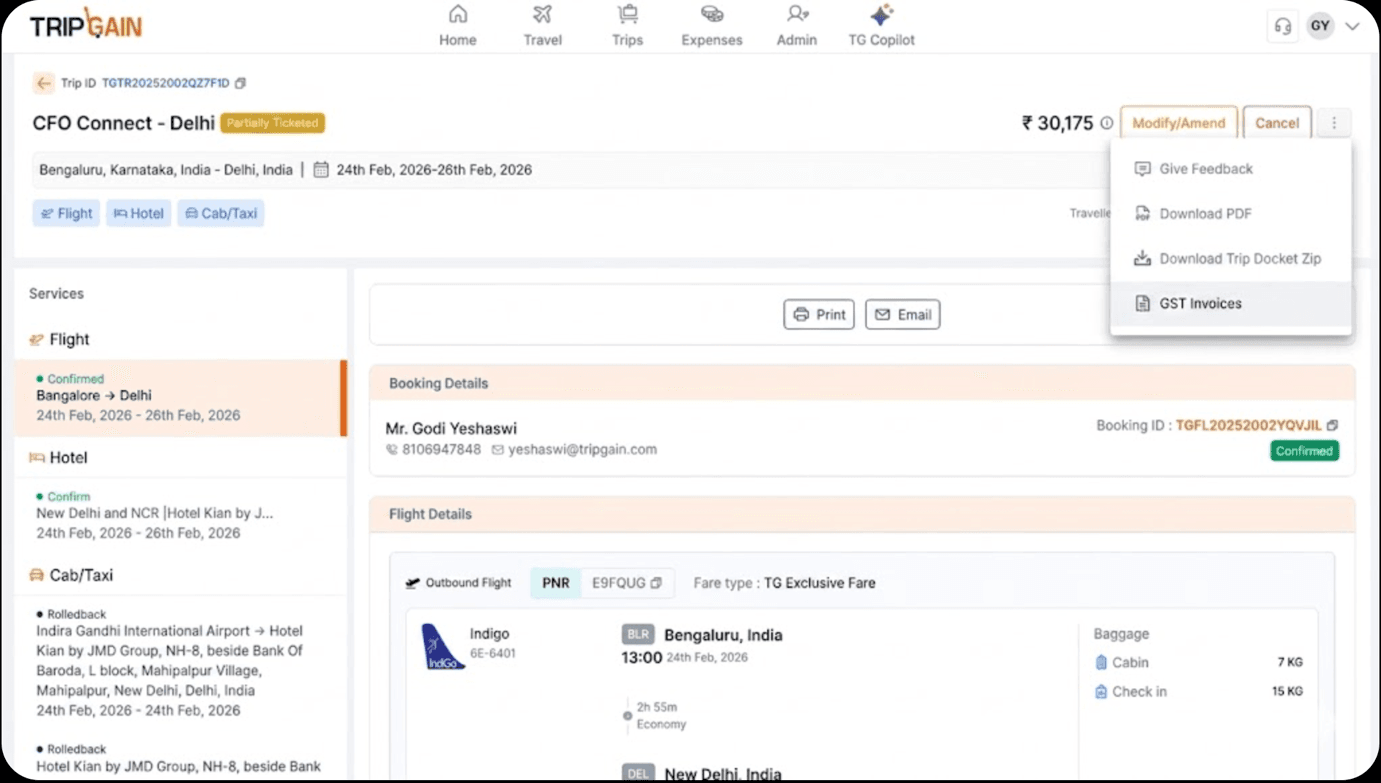
What's New: After a trip is completed, employees and admins can now directly download airline invoices, hotel folios, and TripGain-generated invoices from within the platform. No more chasing confirmations from inboxes or logging into airline portals separately.
Benefits:
- One-stop access to all trip-related documents post-travel
- Faster expense report submission and reimbursement processing
- Supports audit-readiness with downloadable invoice trails
- Saves significant time for frequent travelers managing multiple trips
Why These Updates Matter
Area | What Changed |
|---|---|
Tax & Compliance | Itemized expenses + receipt declarations make audit and tax reclaim workflows far more robust |
Group Travel | End-to-end group booking simplifies event and offsite planning at scale |
Finance Visibility | Offline invoice uploads + vendor expense tracking give CFOs a truly consolidated view |
Mobile Experience | Gallery uploads and post-trip invoice downloads reduce manual steps for travelers |
AI Intelligence | Copilot history sessions deliver contextual, continuous assistance |
Wrapping Up March & April
This quarter's updates reflect TripGain's commitment to building a platform that works for everyone in the travel and expense ecosystem — from the employee filing a receipt on their phone to the CFO reviewing monthly spend. Smarter automation, better tax alignment, and a more capable AI Copilot are just the beginning.
More updates are on the way as we continue building the future of corporate travel and expense management.
See These Features in Action
Want to explore how these updates can simplify your team's travel and expense workflows?
Contact us and experience the next generation of business travel with TripGain.

Godi Yeshaswi
Senior Product MarketerIn this article
1.Expense Itemization for Tax Compliance
2.Group Bookings for Events & Offsites
3.Vendor Expense Tracking
4.Upload Offline Booking Invoices – Flights & Hotels
5.Share Receipts Directly from Gallery / Local Files
6.Employee Receipt Declaration for Tax Reclaim
7.AI Copilot Enhancement – History Sessions
8.Download Airline, Hotel & TripGain Invoices – Post Trip
9.Why These Updates Matter
10.Wrapping Up March & April
11.See These Features in Action

Related Events